
GitHub
GitHub is our central hub for project management and collaboration. It’s where we track our work, review code, and manage the entire lifecycle of a feature from idea to deployment. This guide explains our issue hierarchy and the specific workflow you’ll follow when contributing to the Layered platform.
The Project Kanban Board
Section titled “The Project Kanban Board”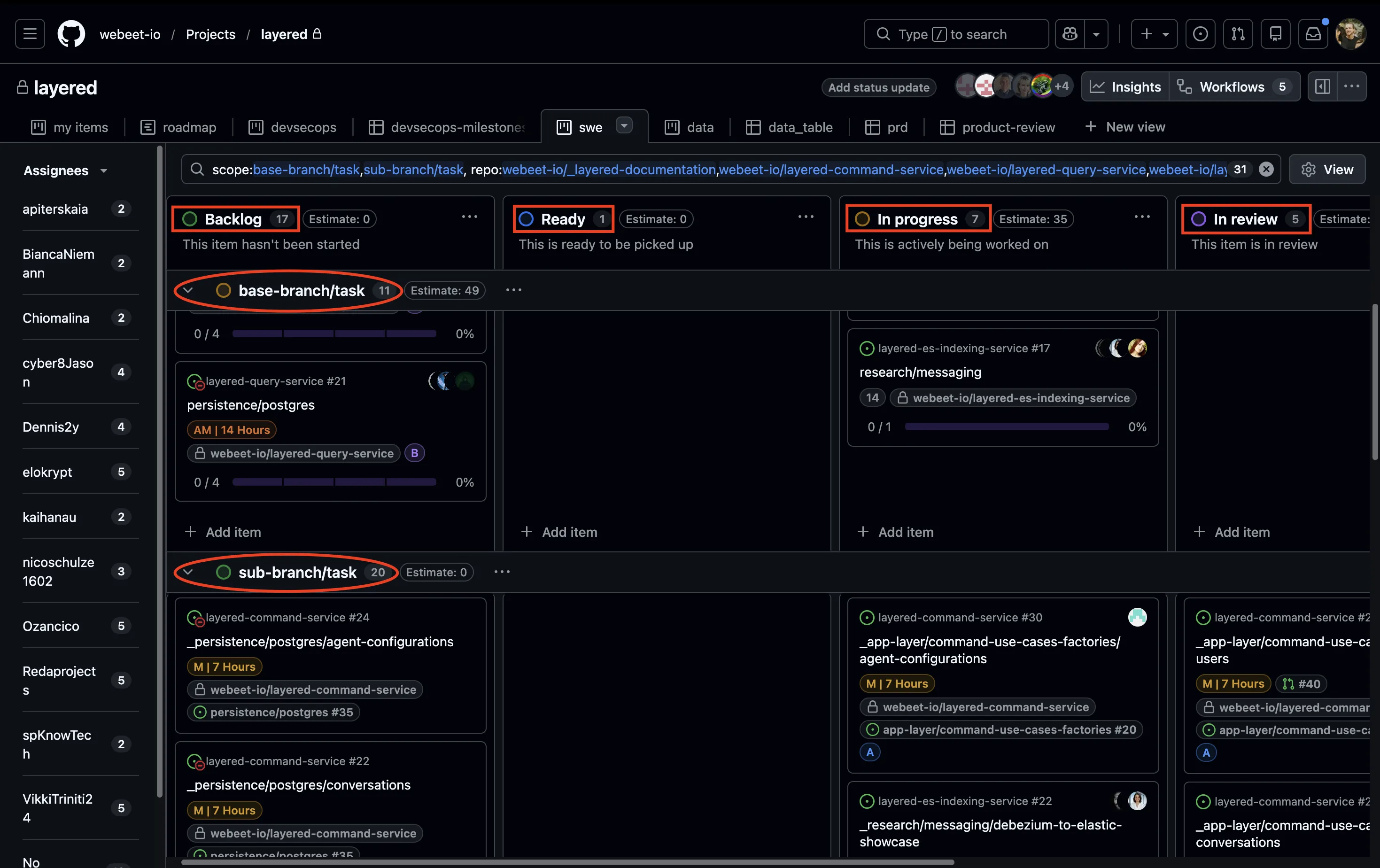
We manage our daily workflow using a GitHub Project Kanban board. This board provides a high-level visualization of our progress and helps the team identify blockers at a glance.
- Columns (Status): We track the lifecycle of every issue through columns: Backlog, Ready, In Progress, In Review, and Done.
- Swimlanes (Scope): To keep the board organized, we use swimlanes to separate Base-Branch issues from Sub-Branch issues. This allows you to quickly see which technical tasks belong to which larger feature goal.
Our Issue Hierarchy: Base and Sub-Branches
Section titled “Our Issue Hierarchy: Base and Sub-Branches”Our work is organized across different repositories to keep things clean. You’ll primarily interact with two types of issues:
-
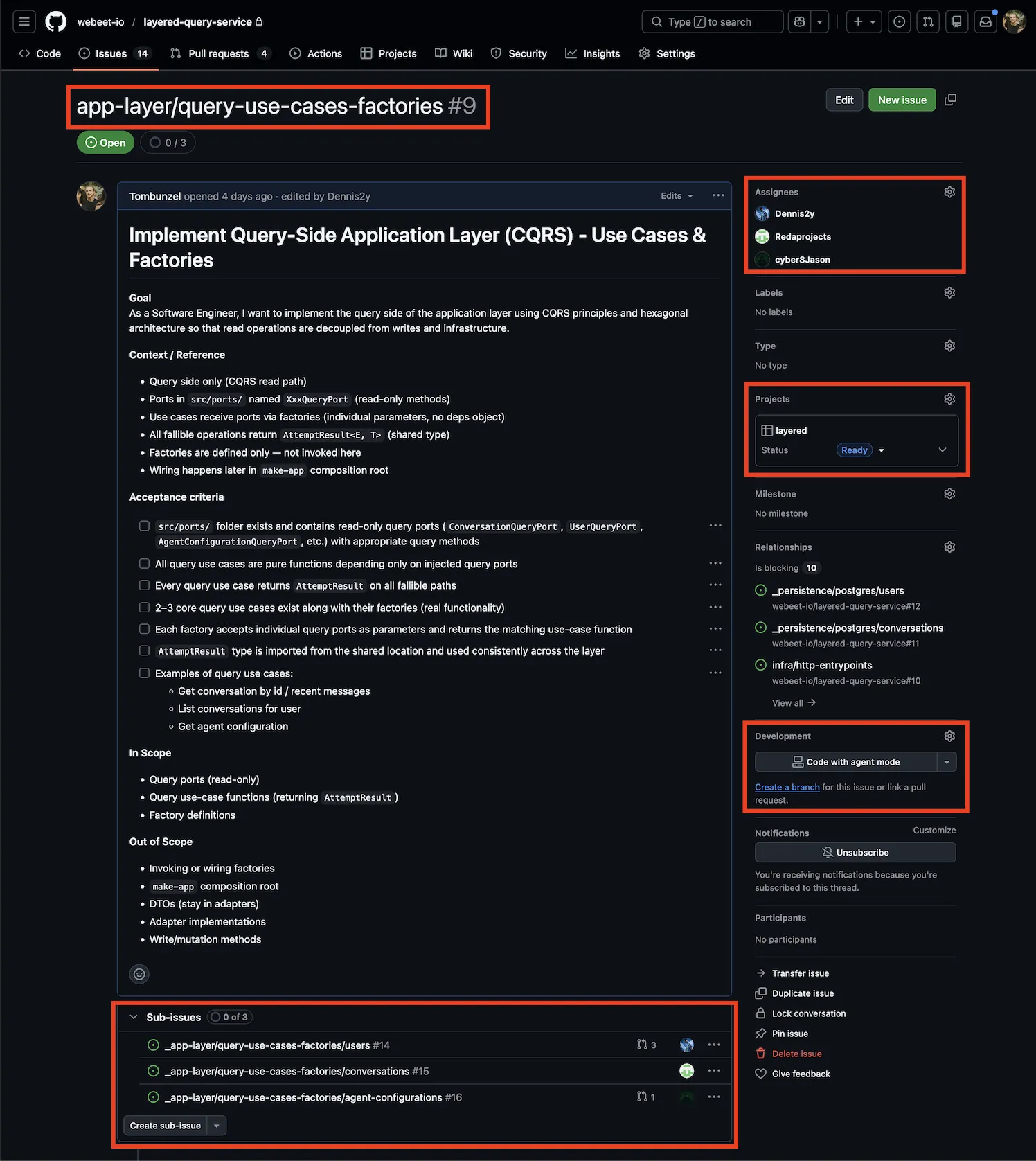
Base-Branch Issue: This represents a high-level feature or technical goal (e.g., “Implement Neighborhood Search Logic”).
- It acts as the “single source of truth” for the feature.
- A dedicated branch is created from
developmentfor this issue. - All technical sub-tasks are merged here before the feature is integrated into the main codebase.
-
Sub-Branch Issue: This is the issue you will be assigned.
- These are concrete, technical tasks broken down from a Base-Branch issue.
- Each sub-issue contains precise technical acceptance criteria.
- Your work happens on branches created off the Base-Branch.
Here’s an example of a base-branch issue from our project board:
Your Day-to-Day Workflow: From Issue to Merged PR ✅
Section titled “Your Day-to-Day Workflow: From Issue to Merged PR ✅”1. Start with Your Assigned Issue
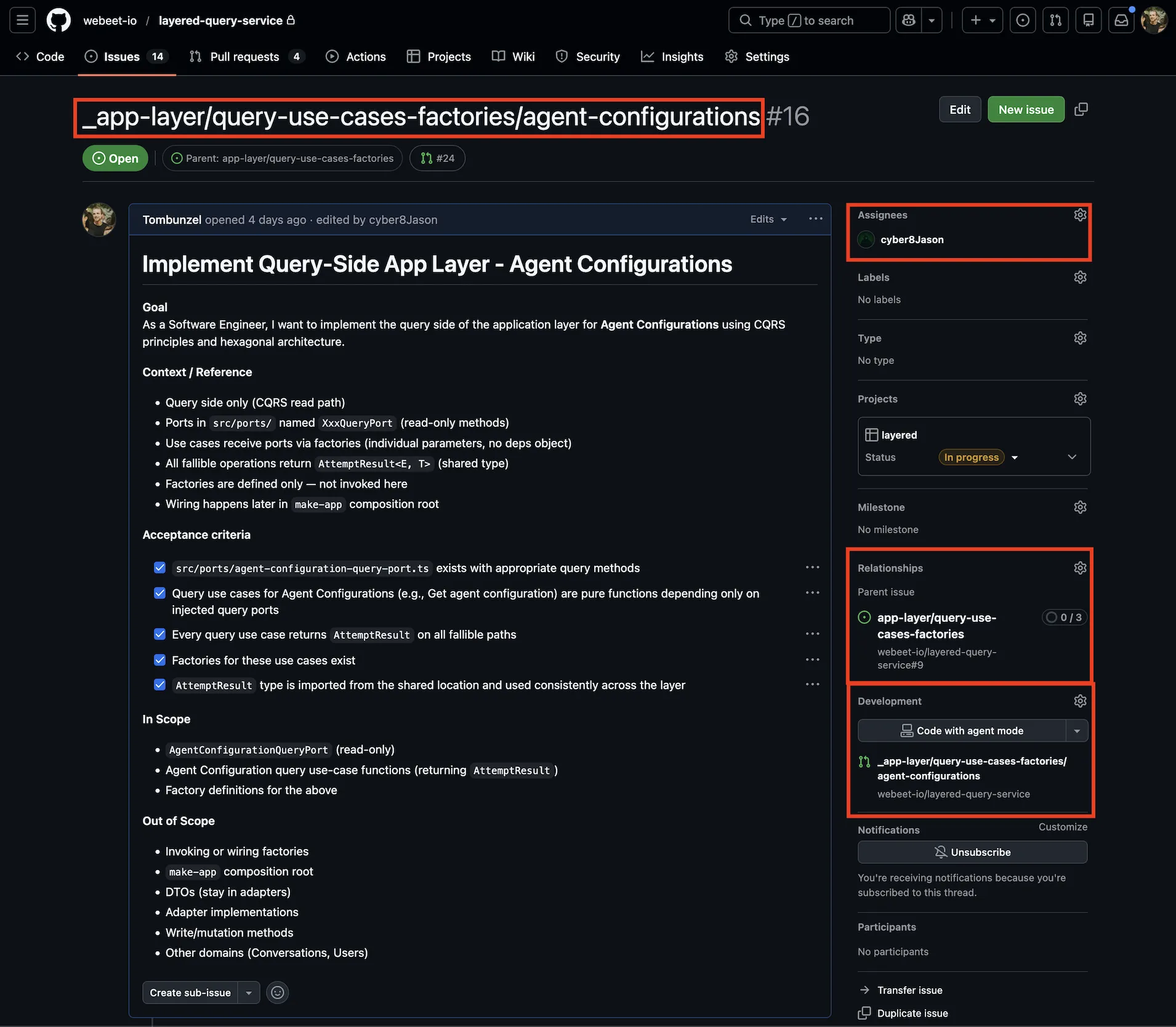
Section titled “1. Start with Your Assigned Issue”You will be assigned a Sub-Branch Issue found in the “Sub-Branch” swimlane.
- Identify the Base-Branch this task belongs to.
- Note the exact title of your issue; this is your branch name (including underscore and slashes).
2. Create Your Branch
Section titled “2. Create Your Branch”It is crucial that you branch out from the Base-Branch, not from development.
# 1. Switch to the Base-Branchgit switch type/base-branch
# 2. Pull the most recent changesgit pull origin type/base-branch
# 3. Create your sub-branch (Title must match the Sub-Branch Issue exactly)git switch -c _type/base-branch/sub-branch
3. Code, Commit, and Push
Section titled “3. Code, Commit, and Push”Do the work to meet the acceptance criteria. Remember to make small, frequent commits using the Conventional Commits standard. Once your work is complete, push your branch to its remote counterpart on GitHub.
git push -u origin _type/base-branch/sub-branch4. Create the Pull Request (PR)
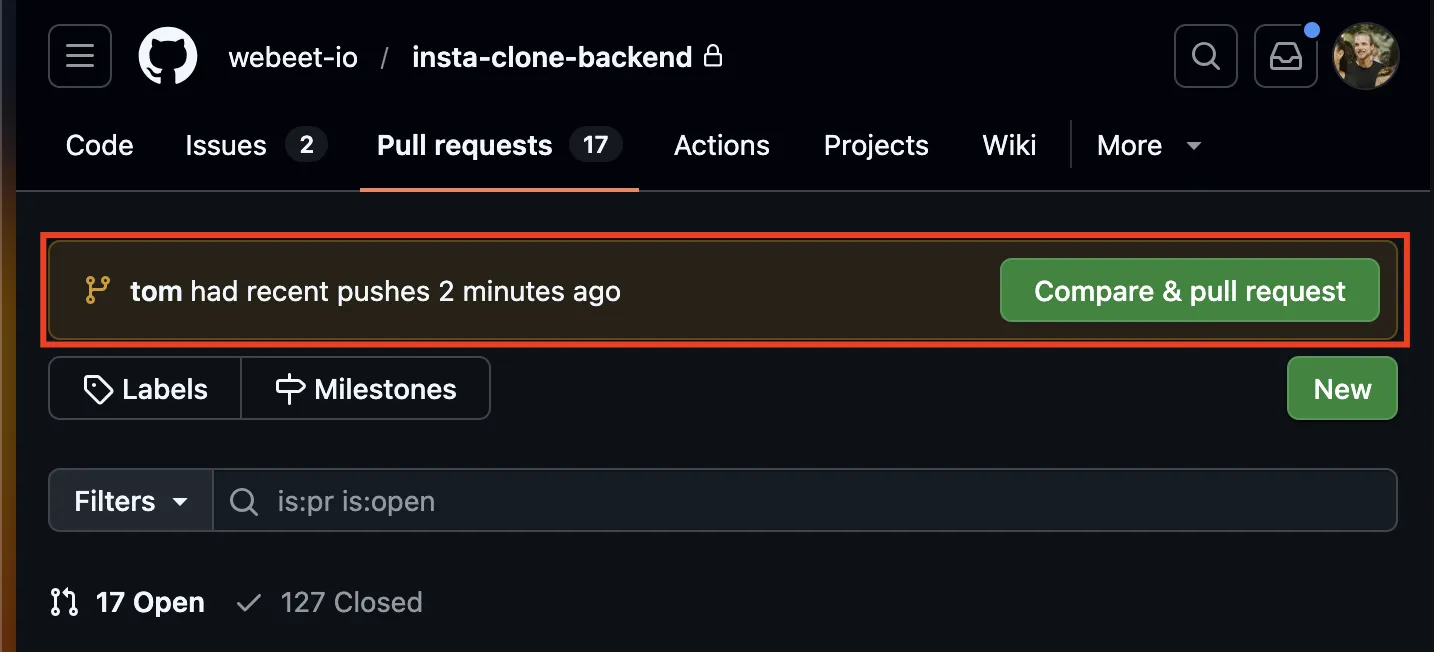
Section titled “4. Create the Pull Request (PR)”On GitHub, you’ll see a prompt to create a Pull Request for your newly pushed branch.
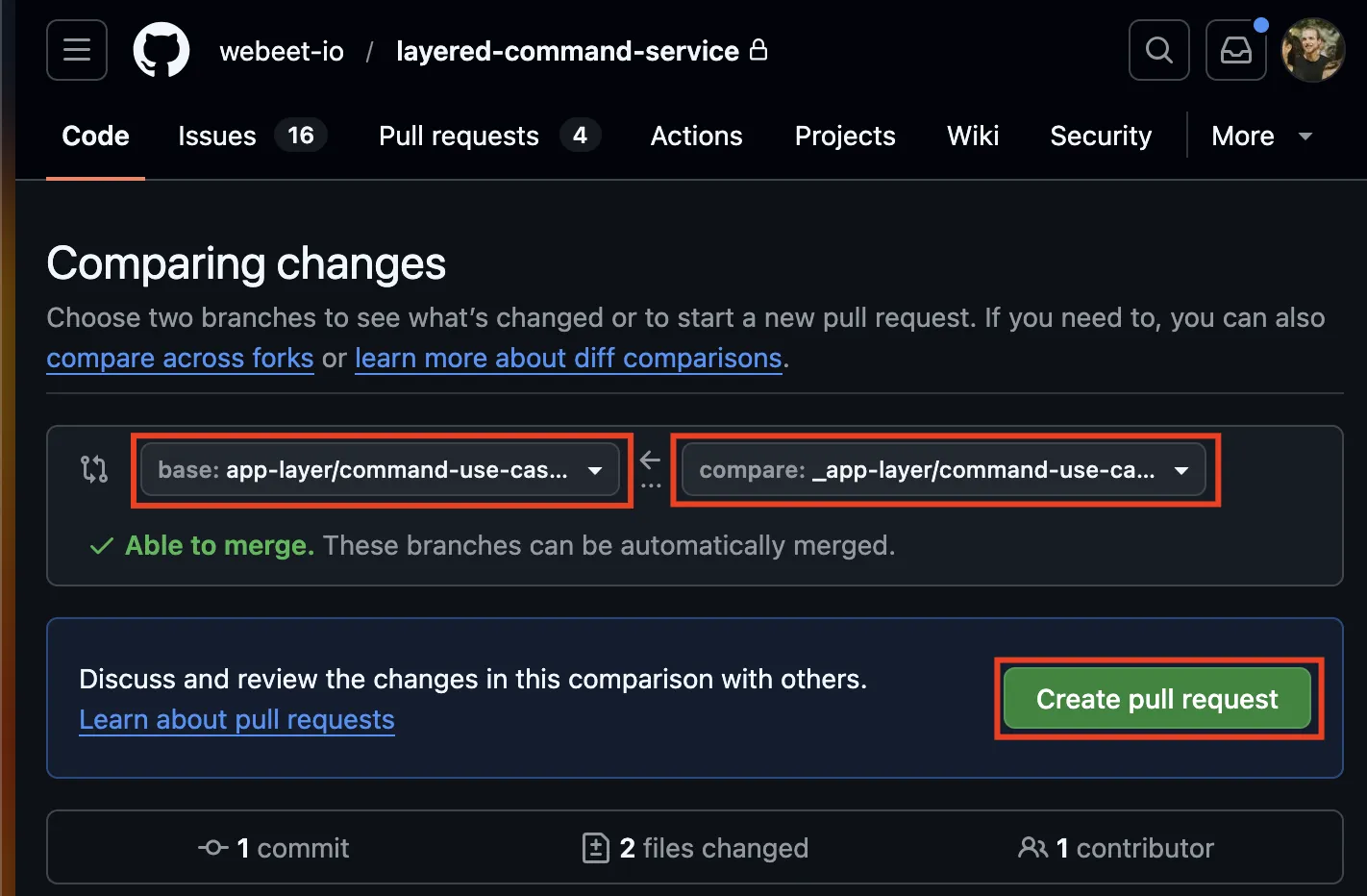
- Verify the Base Branch: Ensure the “base” branch (the merge target) is the Base-Branch, not
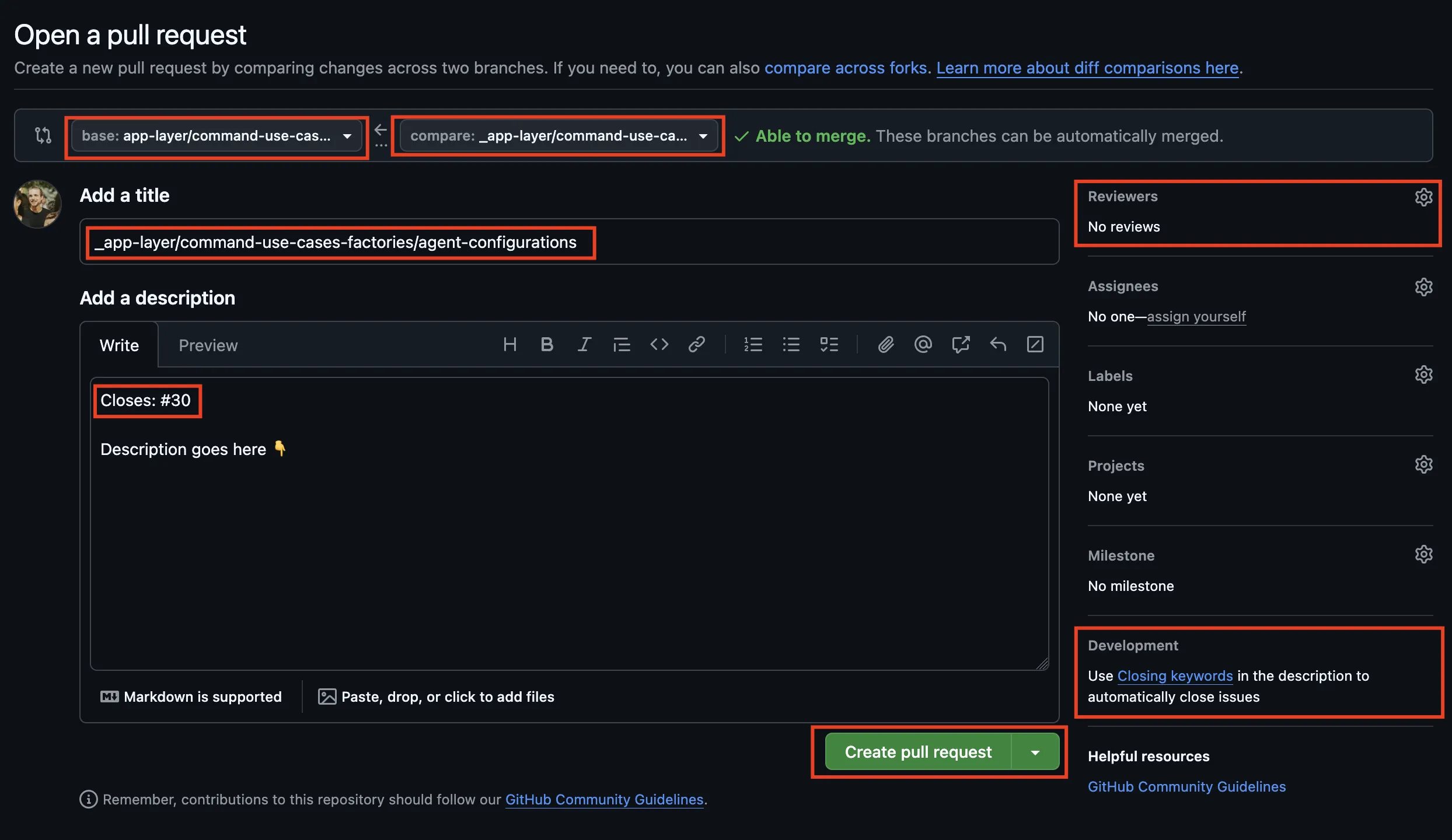
development.
-
Set the PR Title: The title must be exactly the same as your branch name and the Sub-Branch Issue title.
-
Link the Issue: In the PR description, use a keyword (e.g.,
Closes #123) to link your Sub-Branch Issue, or search and link them manually from the ‘Development’ section on the PR/Issue. -
Submit for Review: Assign Tom as a reviewer and move the issue to the In Review column on the Kanban board.
Research and Documentation
Section titled “Research and Documentation”The _layered-documentation repository is mostly used for research tasks or tasks that span further than a single service. You may read these for context, but your daily coding tasks will live within the specific service repositories.
Final Integration
Section titled “Final Integration”Once all sub-issues on a Base-Issue are completed and merged into the Base-Branch, a final PR will be created to merge that entire feature back into development.