
🐈⬛ GitHub
GitHub isn’t just a place to store code—it’s where modern tech teams live. Whether you’re an engineer, a data analyst, or a security professional, GitHub is the beating heart of how we collaborate at Webeet.
You’ll use it every day—to track work, review changes, document findings, and stay aligned with your team. And here’s the truth: learning to use GitHub well is one of the most powerful professional upgrades you can make.
🚀 Why it matters
Section titled “🚀 Why it matters”Knowing how to work with GitHub makes you:
- More collaborative – You can plug into any tech team and speak their language.
- More independent – You can navigate projects, solve problems, and document your own work.
- More employable – GitHub is a global standard. If you know how to use it, you instantly become more valuable to any tech company.
Whether you’re pushing code, running analysis, writing documentation, or reporting bugs—GitHub is where it happens.
🛠️ How We Use It
Section titled “🛠️ How We Use It”- Codebase & version control – Safe, trackable collaboration on every line of code.
- Pull Requests – For submitting and reviewing work, learning from feedback, and discussing improvements.
- Issues – For tracking bugs, tasks, features, and responsibilities.
- Project boards & milestones – To organize our sprints, plan work, and stay focused on outcomes.
- Wikis & READMEs – To document what we build, how it works, and what’s important.
So yes—GitHub is technical. But it’s also creative, collaborative, and empowering.
Learn to use it well, and you’ll level up faster than you ever thought possible.
📝 Markdown
Section titled “📝 Markdown”Markdown makes your GitHub issues easy to read and act on. Headings show the problem at a glance, lists make steps and findings unambiguous, quotes capture context, and code blocks preserve logs and commands exactly. Clear formatting helps teammates reproduce bugs faster, prevents back-and-forth, improves searchability, and shows you can communicate like a professional engineer.
This is a full Markdown tutorial: The Only Markdown Crash Course You Will Ever Need
But here is the gist:
Headings
# Title (H1)## Section (H2)### Subsection (H3)Emphasis
**bold** *italic* ~~strikethrough~~Lists
- bullet item- another  - nested
1. ordered item2. another
Task lists (checkboxes)
- [ ] todo- [x] doneQuotes (for highlighting notes or referencing comments)
> This is a quote or callout.Code (use for commands, errors, or snippets)
Inline: `npm run dev`
Block:```bashgit fetch && git checkout feature/login
Links and images
[link text](https://example.com)Horizontal rule (separate sections) (---)
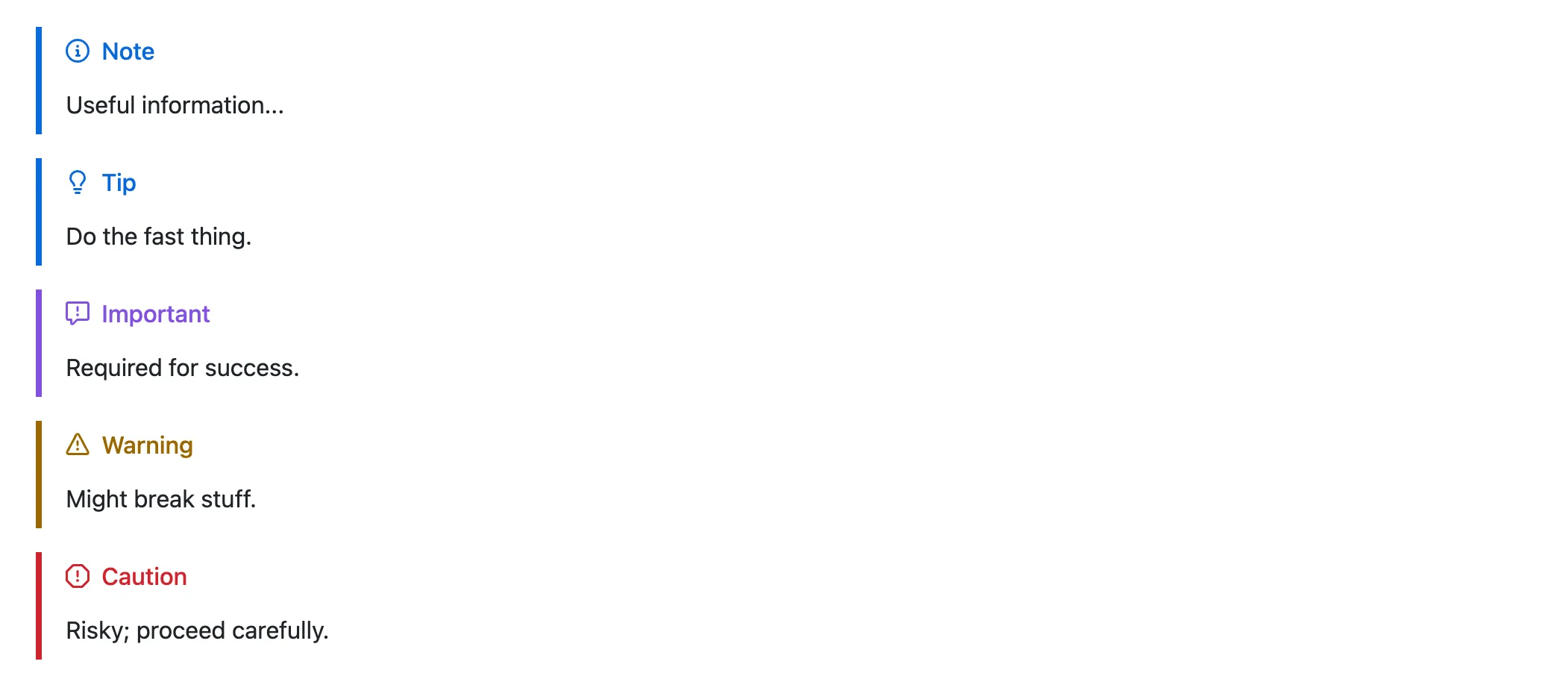
---You can also create beautiful alerts, syntax (must be in a blockquote (```):
GitHub supports five admonitions (“alerts”):
- Make sure that they are always nested in a quote (
>)
> [!NOTE]> [!TIP]> [!IMPORTANT]> [!WARNING]> [!CAUTION]Where it works: READMEs and other repo Markdown, Issues, PRs, Discussions, Wikis (GitHub renderer). It’s a GitHub extension to GFM—not portable to all Markdown engines.